Signing up for Solapi, topping up, registering a sender number and linking a
KakaoTalk channel all happen in the Solapi console. Text messages need a sender
number, and 알림톡 needs a KakaoTalk channel, registered with Solapi first.
Add the account
1
Choose Solapi
Open Accounts in the admin screen and press Add account. Under Sign
in with, choose Solapi. Fields for the API key appear below.
2
Make an API key in the Solapi console
Press Get an API key in the Solapi console to open the API key page of the Solapi
console in a new tab. Sign in to Solapi and make an API Key if you have none.Copy the API Key and the API Secret. The Secret is shown only once, when it
is made. If you missed it, make a new key.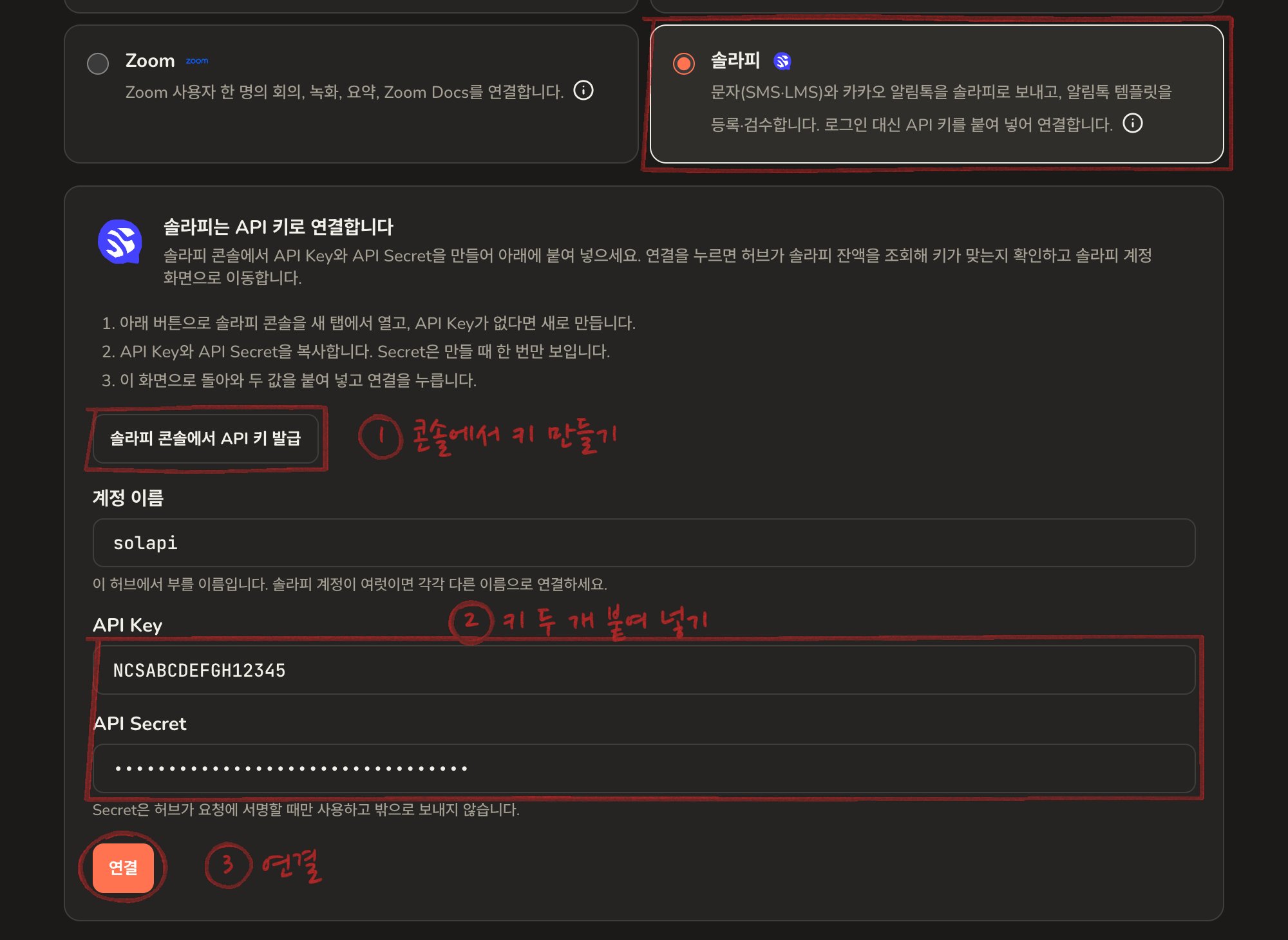
3
Enter a name and the key, then press connect
Back on the hub, give the account a short name, paste the API Key and the API
Secret, and press Connect. Lowercase letters, digits,
- and _ only
in the name.The hub checks the key straight away by asking Solapi for the balance, then
opens the Solapi account page. The Secret is only used to sign the hub’s
requests and never leaves the hub.4
Refresh Claude's tool list
Do a tool list refresh in Claude, then ask in a new
conversation.
Things to ask Claude
- “How much is left on Solapi?”
- “Show the sender numbers and KakaoTalk channels”
- “Text these five people about tomorrow at 2pm”
- “Make a payment complete 알림톡 template and send it for review”
- “Did any of yesterday’s messages fail?”