The app does not need to be published. An unpublished app can only be approved
by users in the Zoom account that made it.
1. Make the app on Zoom
1
Make a General App
Sign in to the Zoom App Marketplace, open the
Develop menu at the top right and choose Build App. Pick General
App as the app type.In Basic information, leave Select how the app is managed on
User-managed.
2
Put the redirect address in two places
On the hub’s add-account screen, choosing Zoom shows an address shaped like
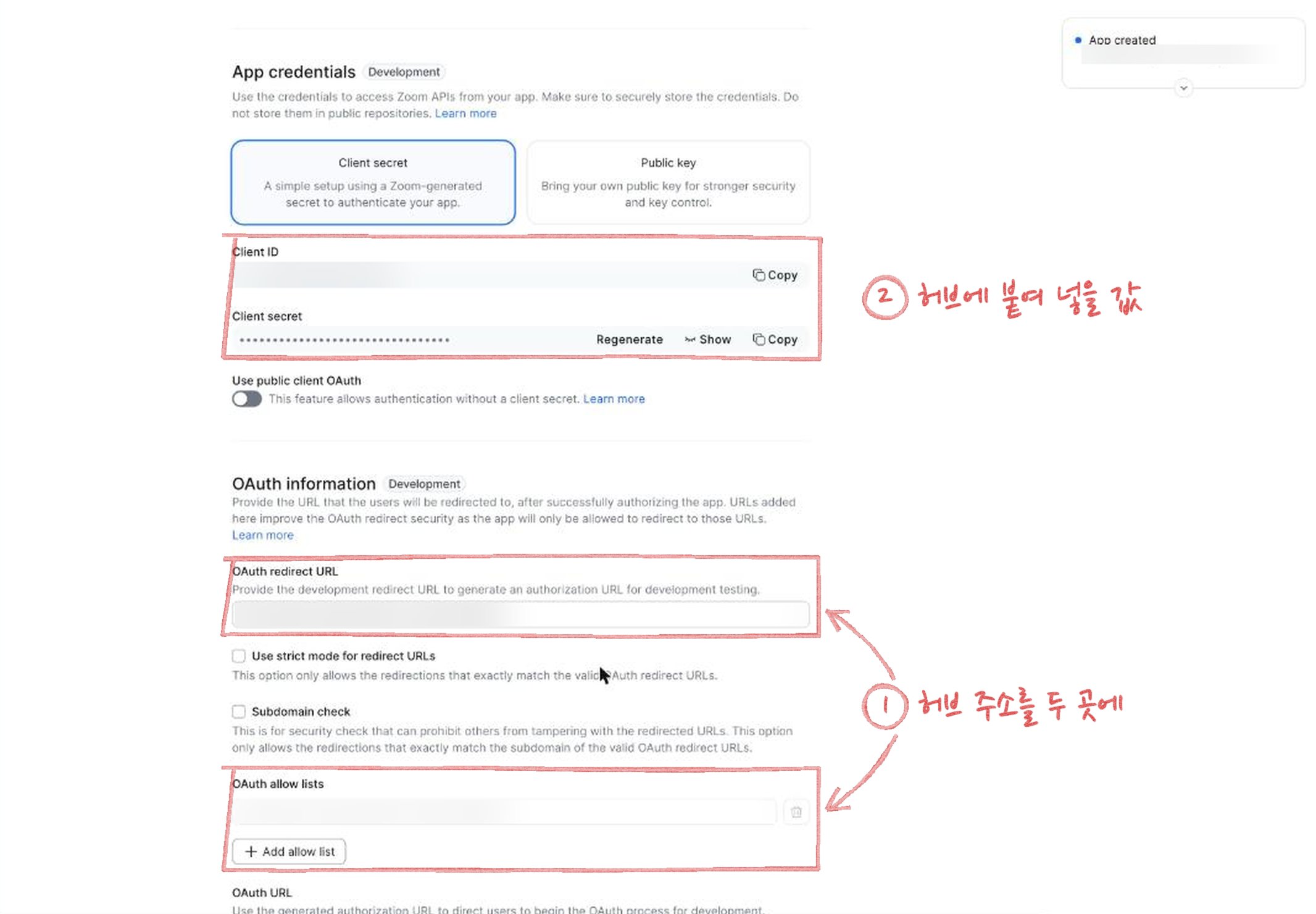
https://(your hub address)/oauth/callback under the fields. Copy it into
both of these in the Zoom app’s OAuth information:- OAuth redirect URL
- OAuth allow lists (press Add allow list)
3
Add the scopes
Open Scopes on the left and press Add scopes. Search for each name
below, tick it, and press Done when all are in.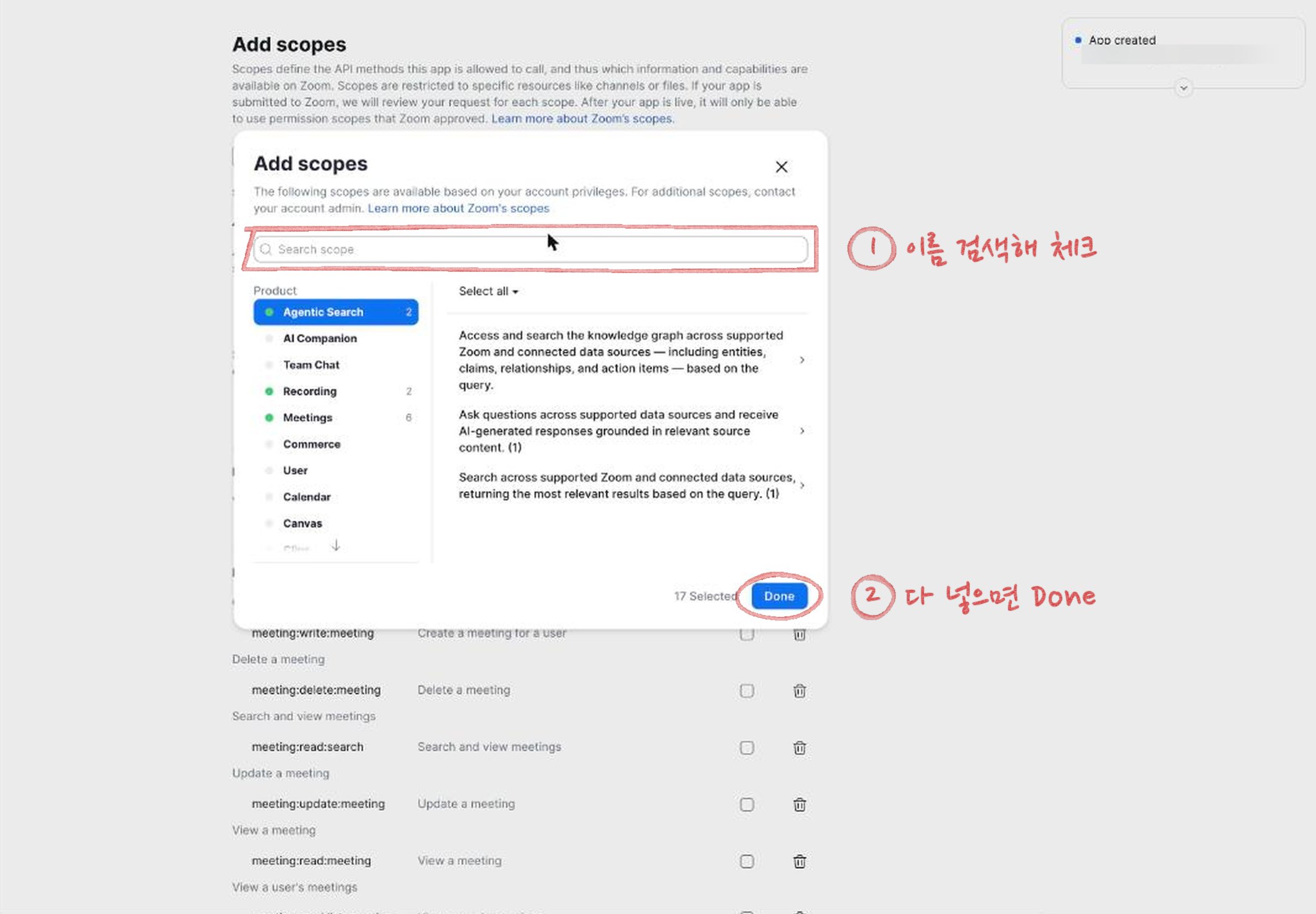
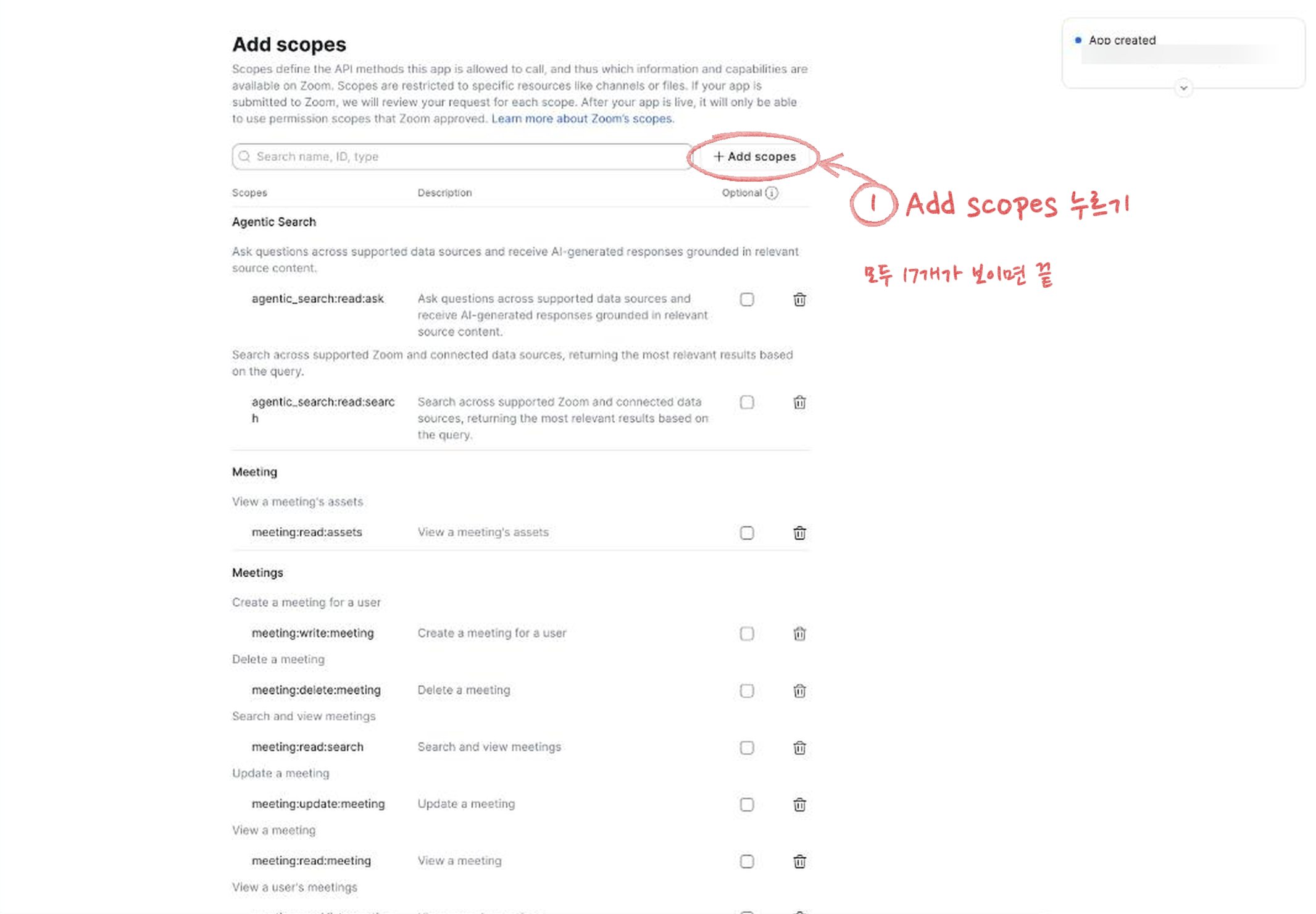
meeting:read:searchmeeting:read:assetscloud_recording:read:list_user_recordingscloud_recording:read:contentagentic_search:read:searchagentic_search:read:askdocs:read:exportdocs:write:importhub:read:contenthub:write:contentmy_notes:read:content
meeting:read:list_meetingsmeeting:read:meetingmeeting:write:meetingmeeting:update:meetingmeeting:delete:meetingscheduler:read:list_scheduled_events
scheduler:read:list_scheduled_events is for the Zoom Scheduler booking
list. Without a Scheduler licence on the Zoom account the booking list stays
empty, and nothing else is affected.2. Add the account on the hub
1
Choose Zoom and paste the Client ID and Client secret
Open Accounts in the admin screen and press Add account. Under
Sign in with, choose Zoom and give the account a short name. It is
the name you use when you tell Claude which account to use. Lowercase
letters, digits, 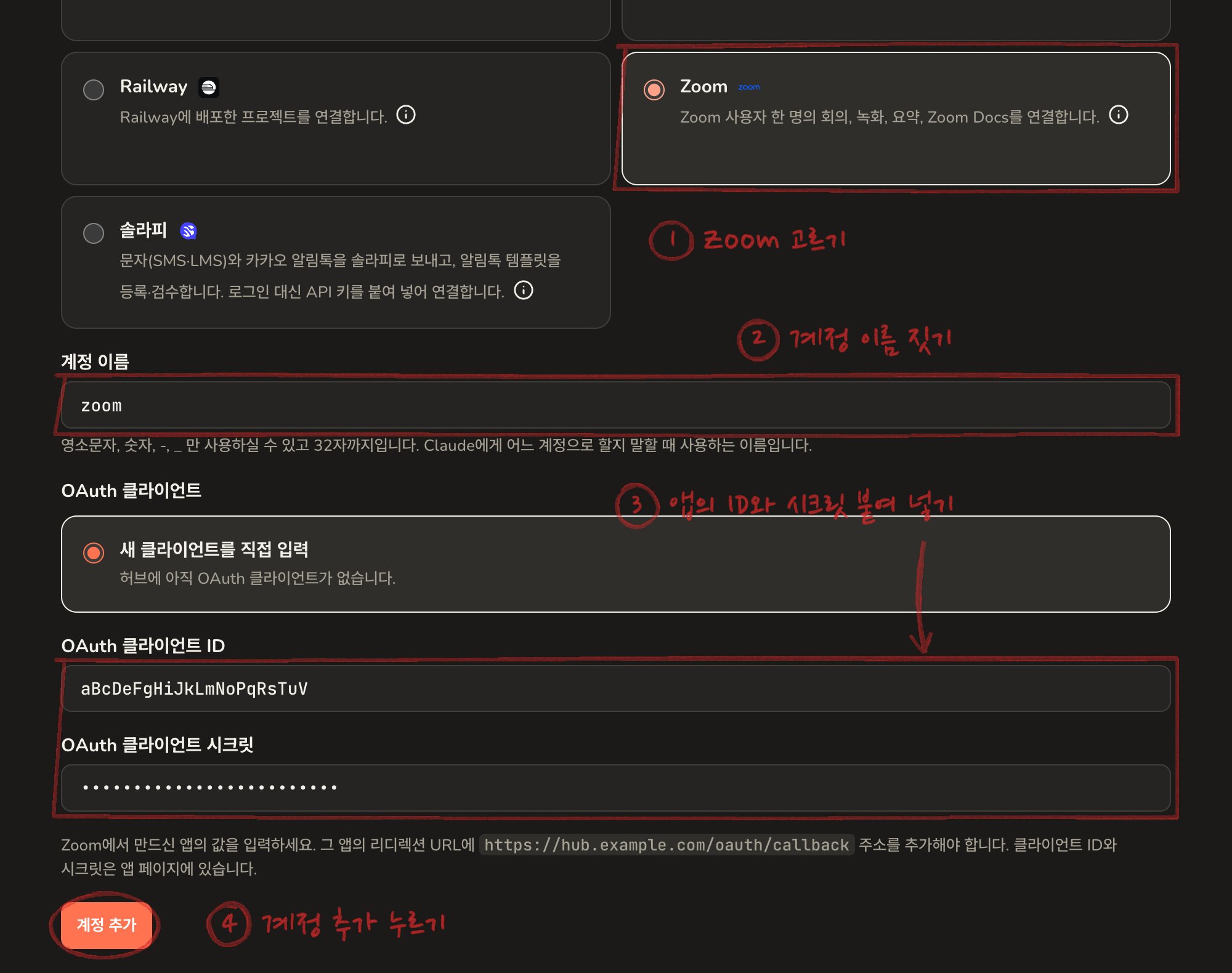
- and _ only.Under OAuth client, choose Enter a new client, paste the Zoom app’s
Client ID and Client secret, and press Add account.2
Press Connect now

3
Allow it on Zoom
Zoom shows the permissions the app asks for. Press Allow. You can leave
“Allow this app to use my shared access permissions” unticked.Back on the hub the account shows as connected.
4
Refresh Claude's tool list
Do a tool list refresh in Claude, then ask in a new
conversation.
Connecting someone else’s Zoom through the same app
To connect another person’s Zoom in the same company you do not need a new app. The OAuth client list on the add-account screen shows the saved Zoom client: choose it and press Add account. You do not type the Client secret again.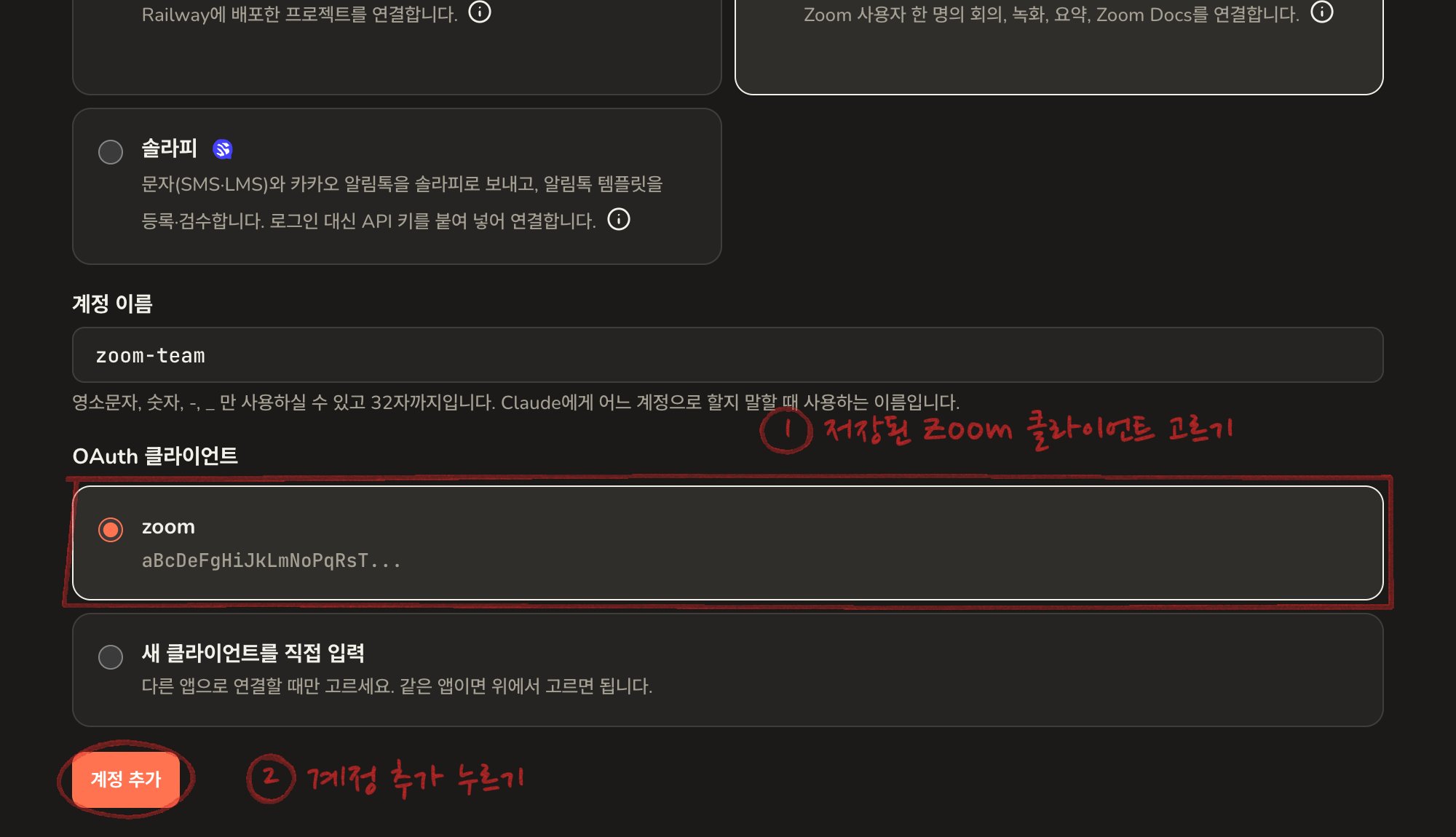
Things to ask Claude
- “Show my Zoom recordings from last week”
- “Summarise yesterday’s meeting and list the action items”
- “Set up a 30-minute meeting next Tuesday at 3pm”
- “Move tomorrow’s meeting to 4pm”
Disconnecting
Either of these works.- Delete the account in the hub’s admin screen.
- Remove the app under Manage, Added Apps in the Zoom App Marketplace.