Refresh Claude’s copy
1
Open this hub in Claude's connector settings
In Claude, open Settings, then Connectors, then this hub. Or go straight
there: claude.ai/new#settings/customize-connectors.
2
Refresh the tool list
Press the menu button beside Disconnect, then Refresh tools list.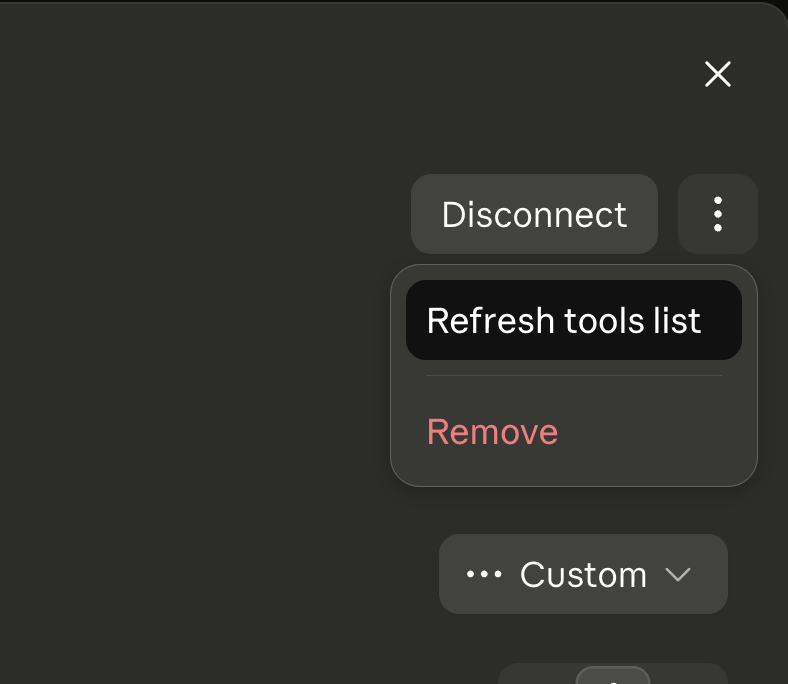
3
Ask again in a new chat
An existing conversation can still be holding the list it started with,
even after the refresh above. Starting a new one rules that out.
This page describes Claude’s own settings. Other apps that speak MCP keep a
similar copy of the tool list and likely have an equivalent action
somewhere in their own connector settings, worded differently.