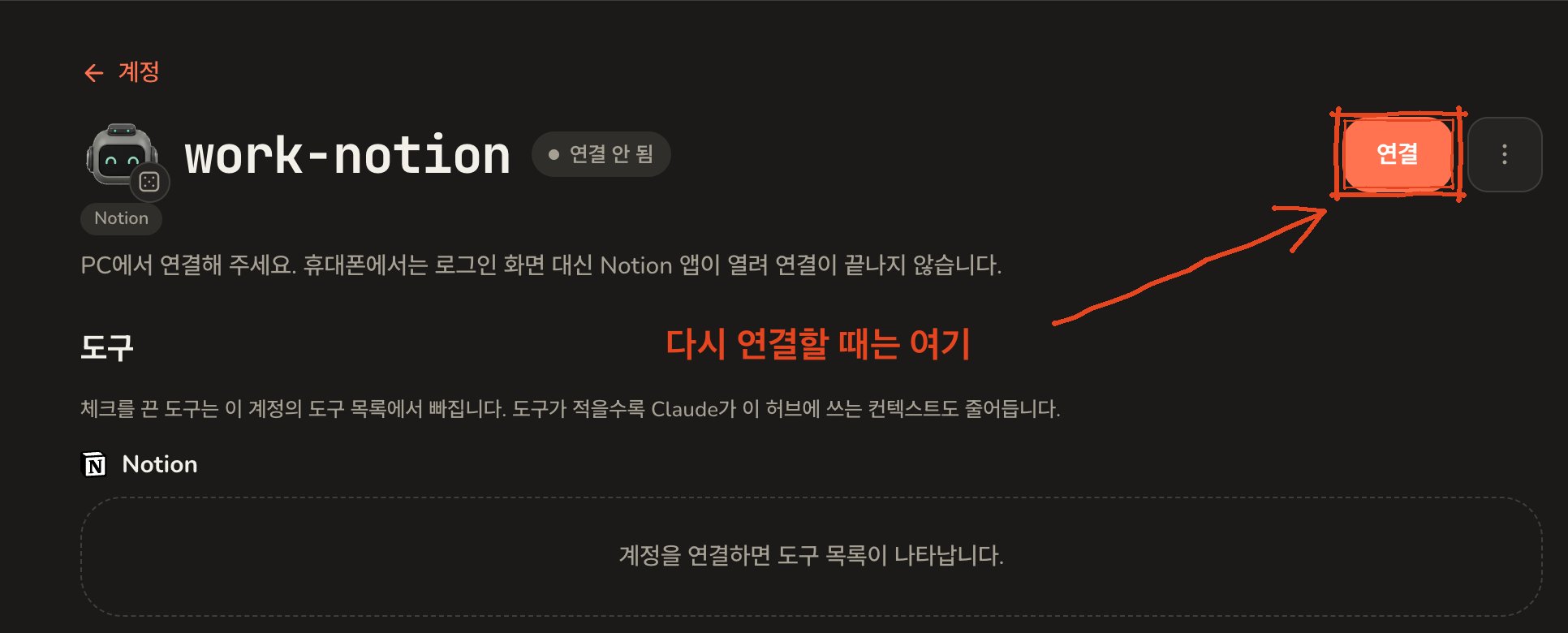
Add the account
1
Open Accounts and press Add account
In the admin screen, open Accounts, then Add account.
2
Choose Notion and name it
Under Signs in with, choose Notion. The client fields a Google
account shows disappear, because there is nothing to fill in.Give the account a short name, the one you will say to Claude when you
want it to work in that workspace: 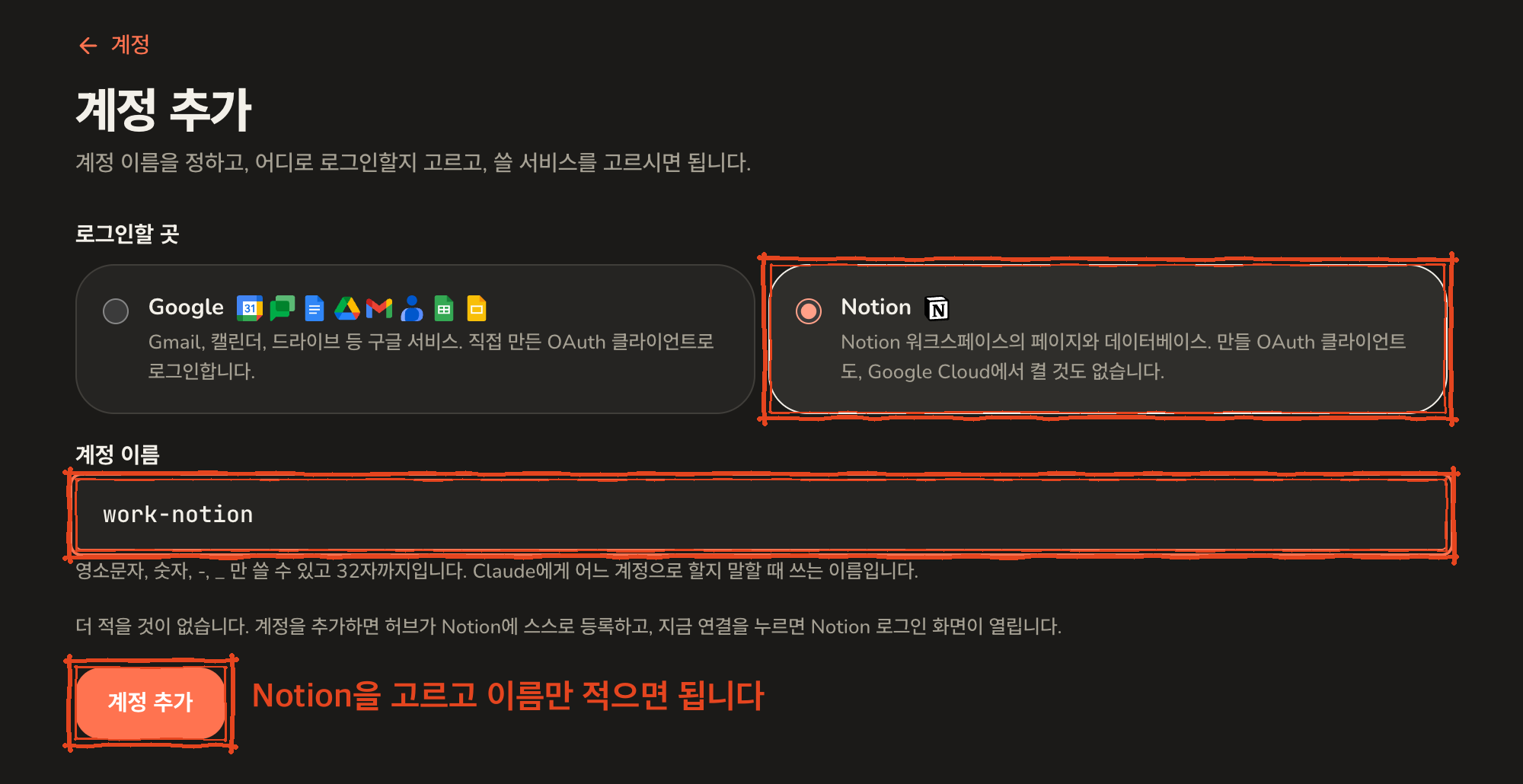
notion, work-notion. Lowercase
letters, numbers, - and _ only.3
Press Connect now
The screen says the account has been added. From a computer, press
Connect now.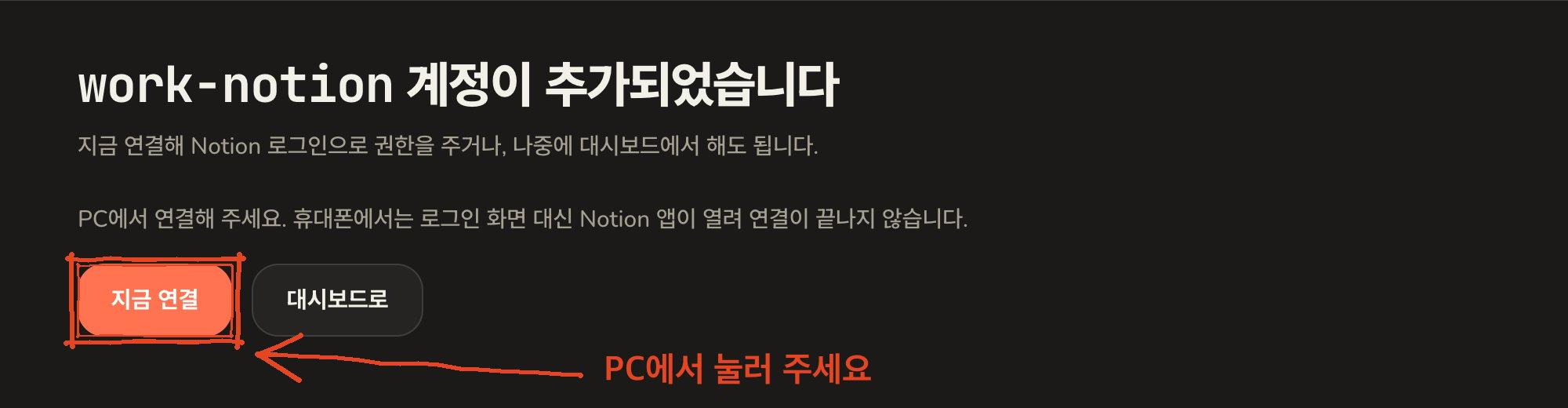
4
Pick the workspace on Notion's page and allow access
You land on Notion’s own sign-in page. Sign in first if you are not
already.Under Select workspace, pick the workspace you want the hub to reach,
tick I recognize and trust this URL in the yellow notice, and press
Continue. The address in the notice is your own hub’s, so it is safe
to trust.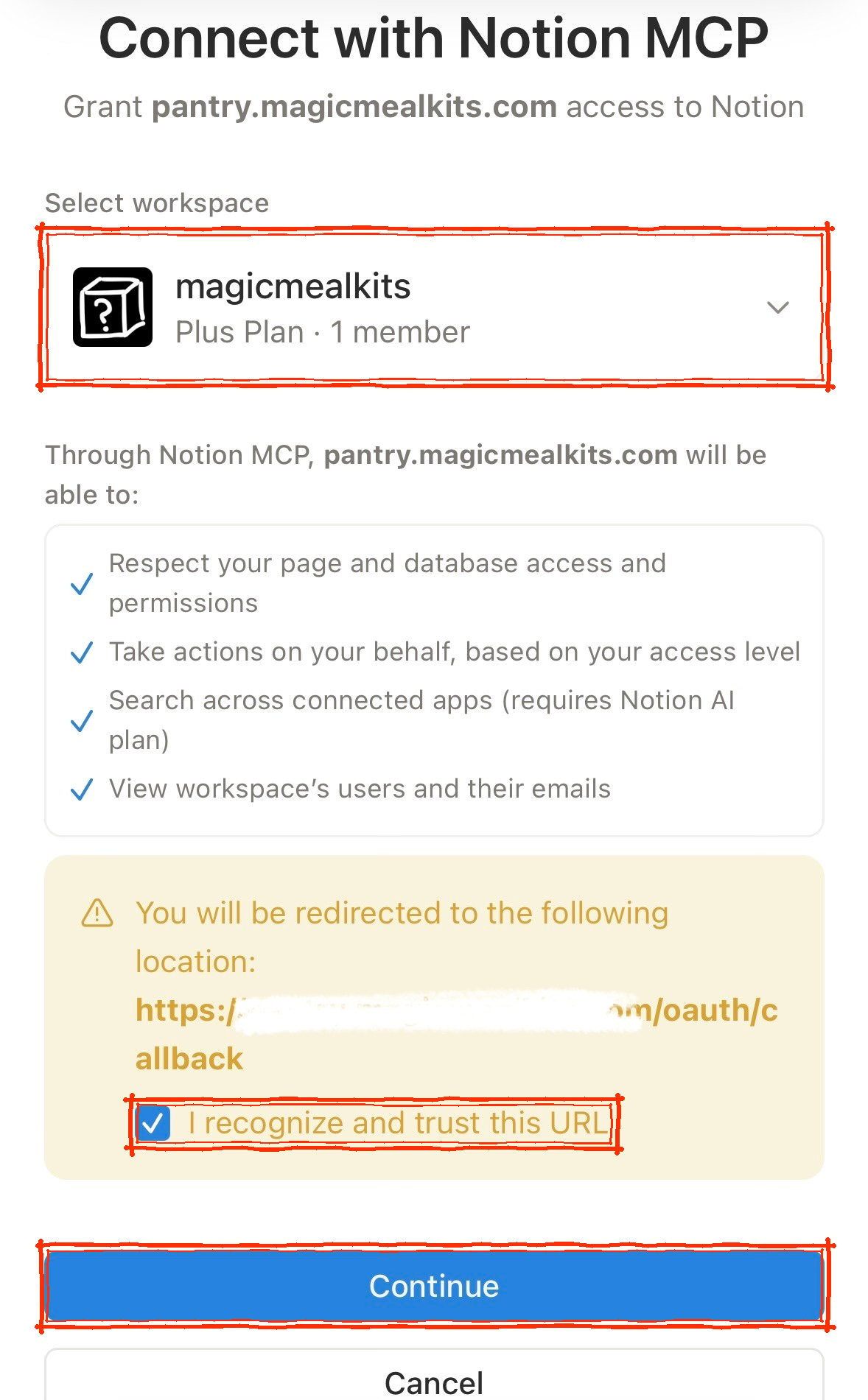
5
Refresh Claude's tool list
Claude keeps its own copy of the tool list and does not notice the new
account on its own. See refreshing Claude’s tool list,
then ask in a new chat.
Several workspaces
Each Notion workspace is its own account on the hub, exactly like a second Google account. Add another, choose Notion again, and pick a different workspace on Notion’s page. The workspace name shown on each account is how you tell them apart, and the account name is what you say to Claude.If the Notion app opens instead
On a phone or tablet with the Notion app installed, the link Notion uses for its sign-in page is one the app claims for itself. Pressing Connect now opens the app, which has no idea what you were doing, and the hub never hears back. Nothing is broken and nothing needs undoing: the account simply stays unconnected until the sign-in page is actually shown. The reliable fix is to open the admin screen on a computer and press Connect there. The account page says so as a reminder. If a computer is out of reach, opening the admin screen in a browser that is not allowed to hand links to the Notion app sometimes works, but which browsers and phones allow that changes, so the docs make no promise about it.When it needs reconnecting
Notion can end a connection on its side, for example after a long stretch without use, or if you remove the hub from the workspace’s connections in Notion’s settings. The account is then marked as reconnect required on the hub. Reconnect at the top right of its page, pressed from a computer, goes through the same sign-in as above. An account that has never been connected shows Connect in the same place.