Before you start
- A Google account. Personal Gmail works. Google Workspace accounts cannot sign up for this free trial.
- A credit or debit card. Google asks for one to confirm you are a real person, not to start charging you. Nothing is billed automatically once the trial ends; see What free actually means below.
- Your phone, for a one-time verification code.
1
Open cloud.google.com/free
In your browser, go to
cloud.google.com/free and press Get
started for free.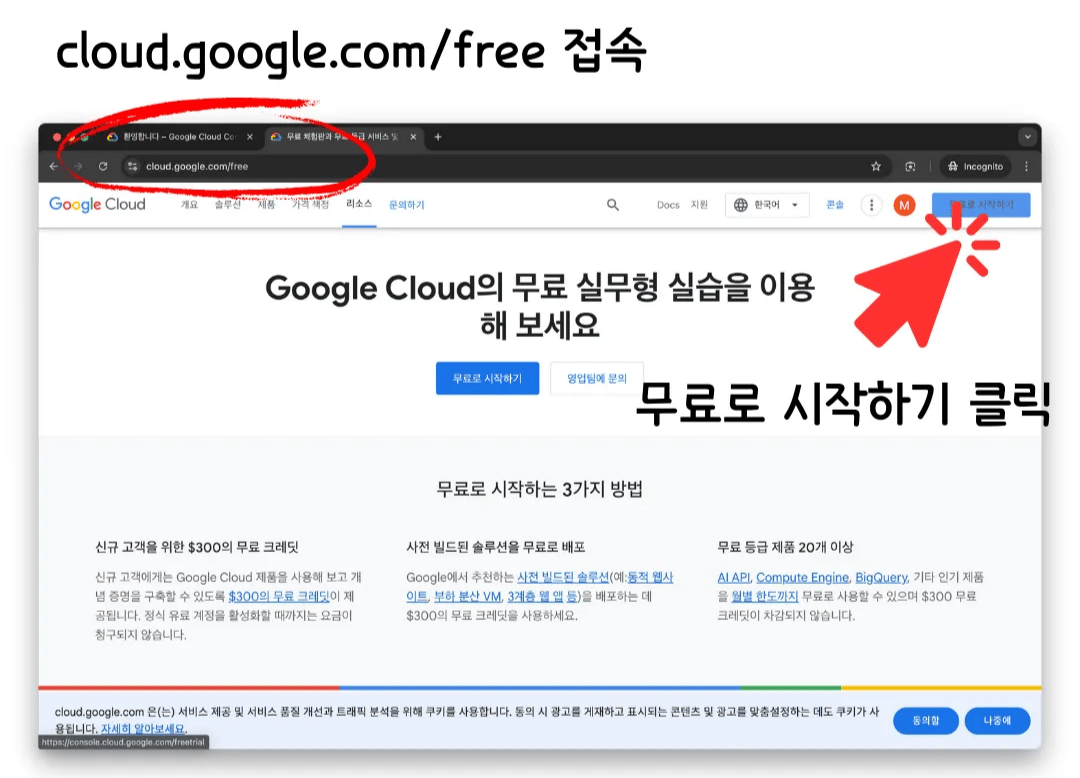
2
Agree to the terms
Choose your country, tick both agreement checkboxes, and press
Continue.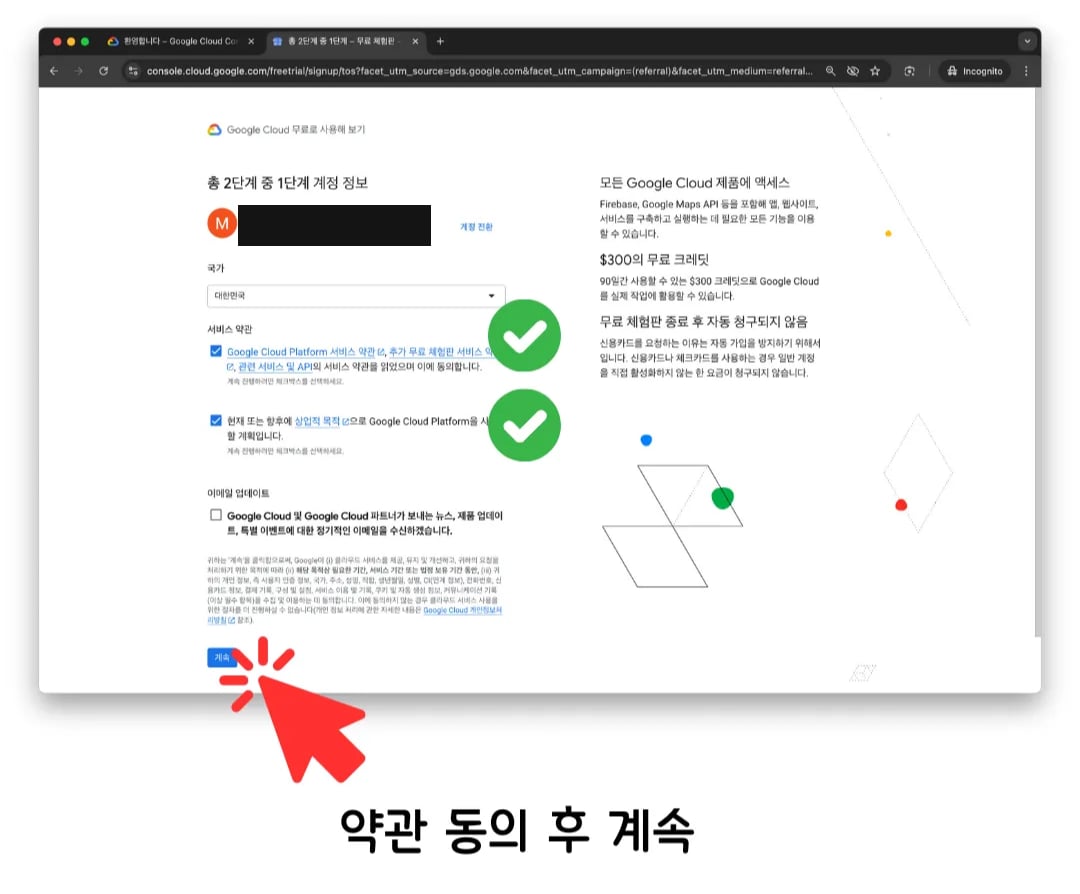
3
Enter your details
Fill in your account type, tax information, and name and address, then
continue to the next section.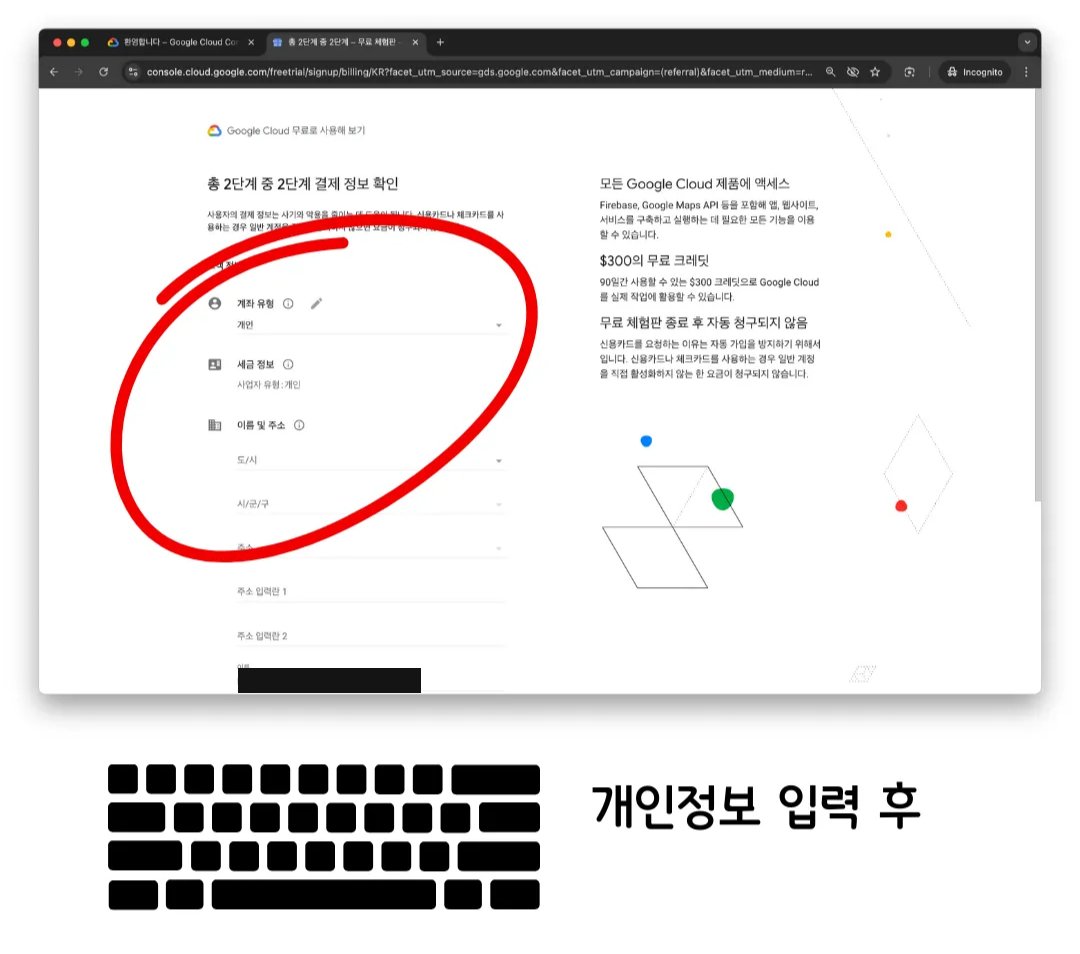
4
Verify your phone number
Enter your phone number and the code Google texts you, then continue.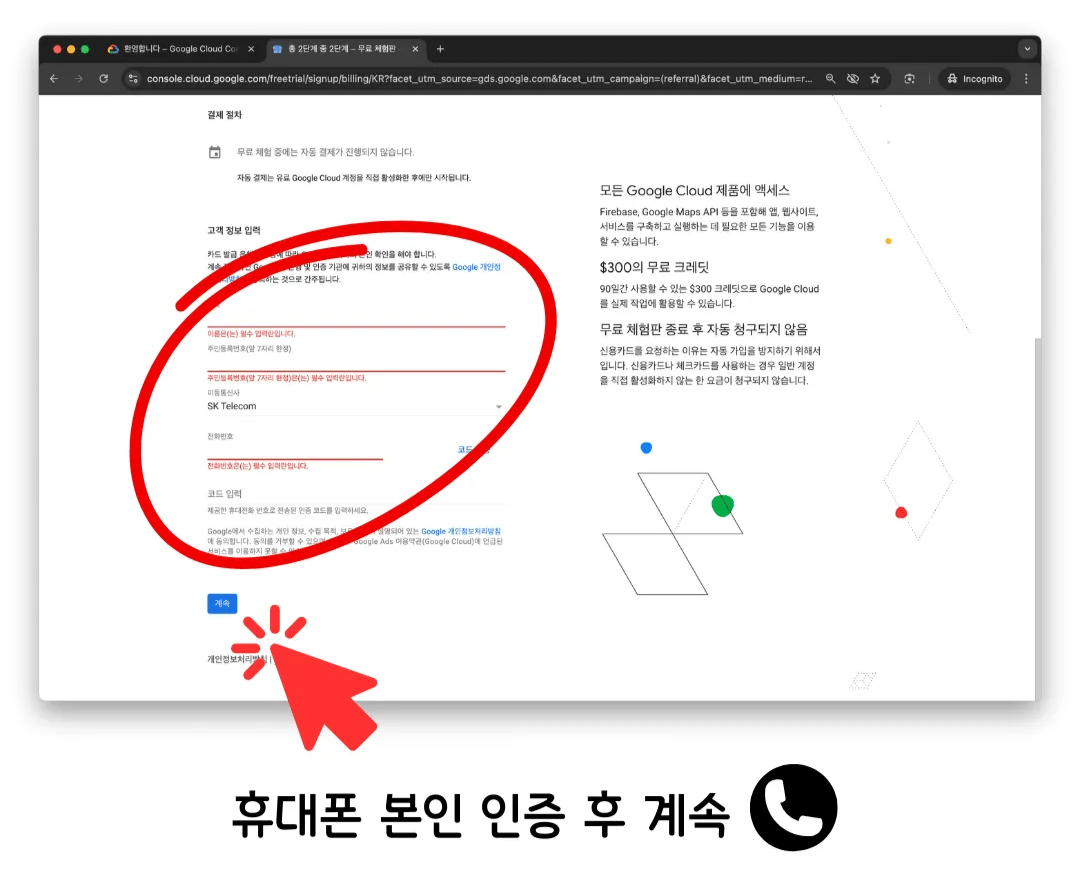
5
Add a payment method and start the trial
Enter your card, then press Start free.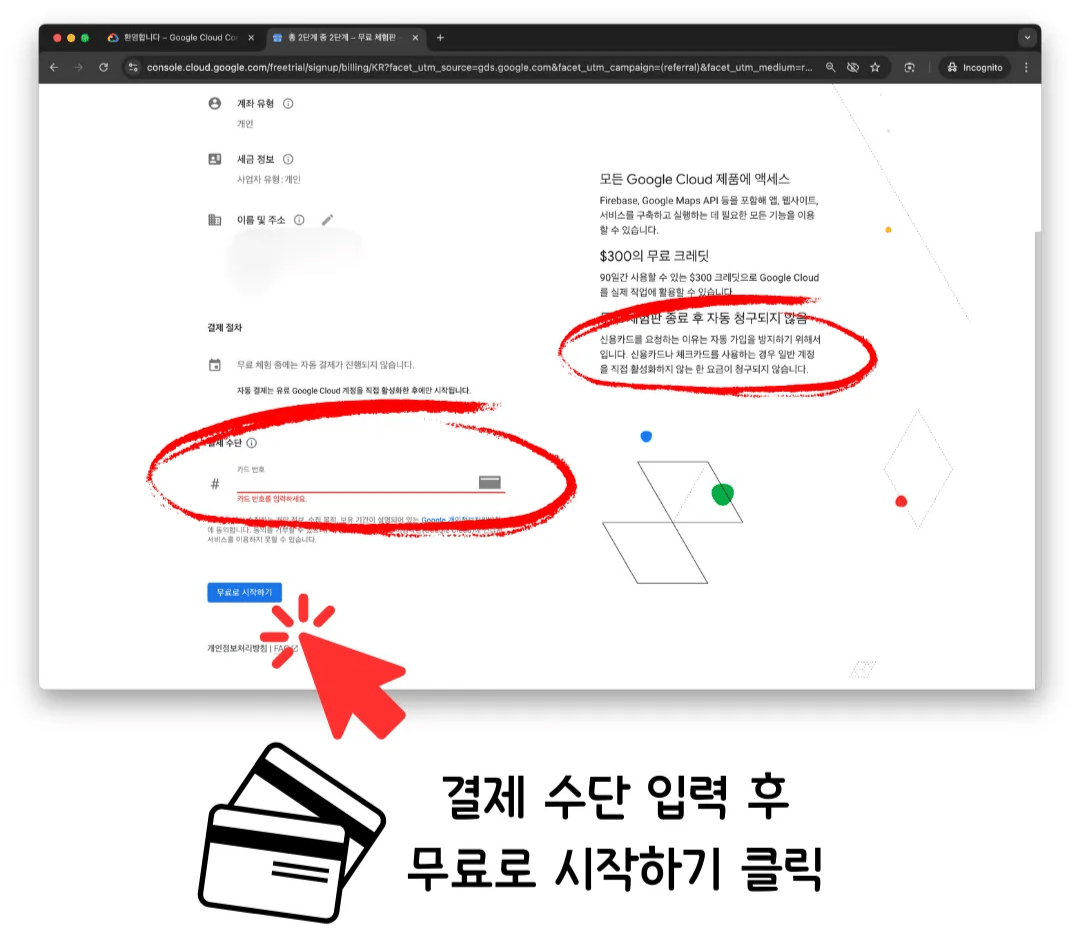
The survey Google shows you
Right after signup, Google asks a short survey about what you plan to use Cloud for. It is optional. Close it, or answer it if you like; either way, your project is already made.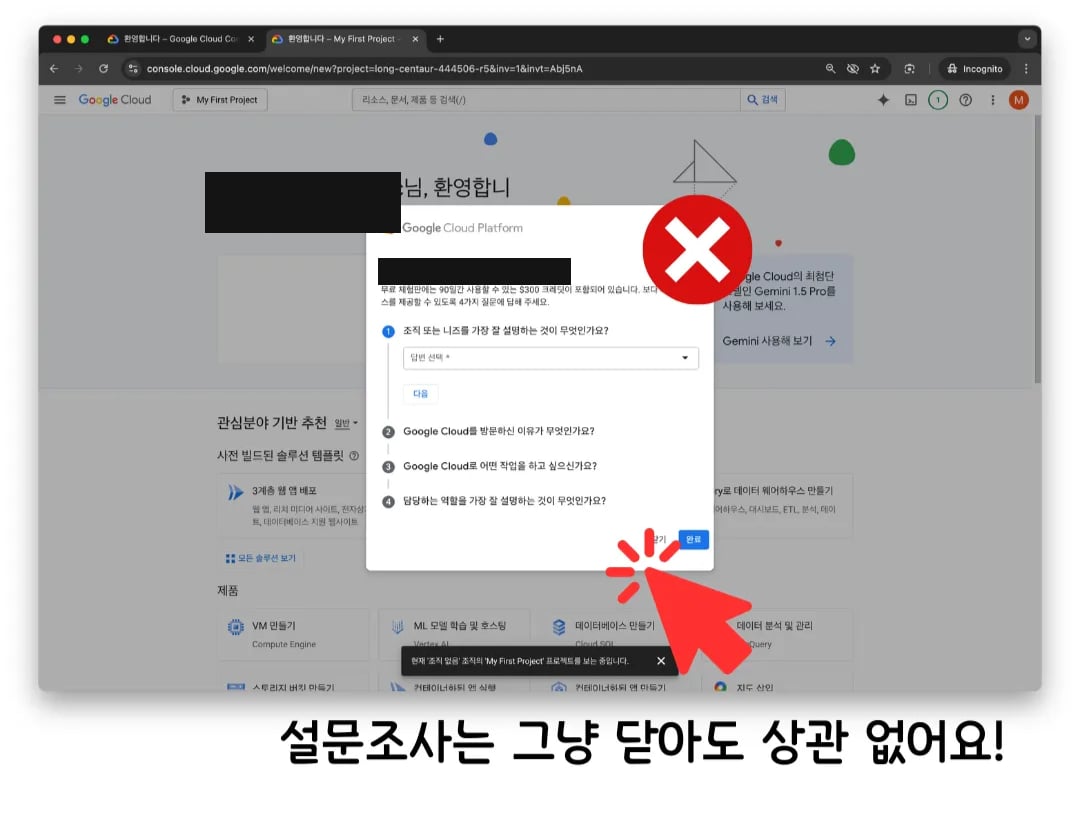
What free actually means
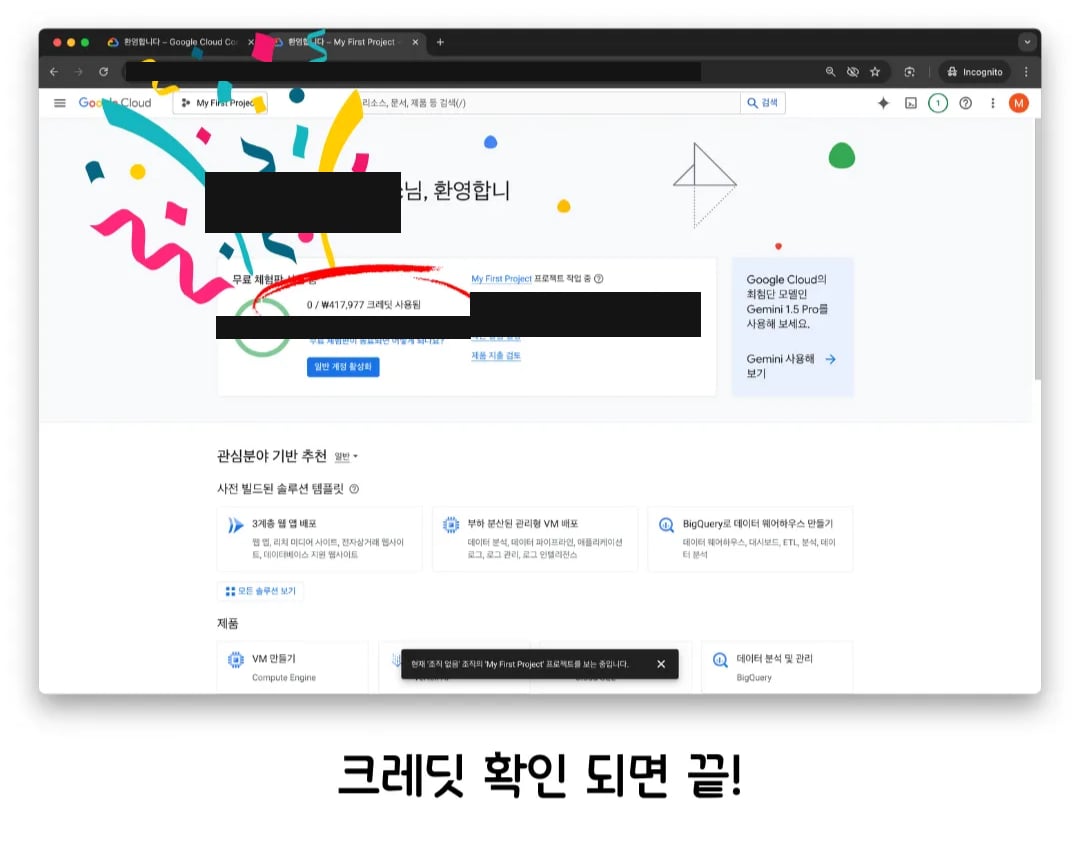
Free trial credit, applied to a new project.
- $300 of credit, for 90 days. That is far more than deploying and running the hub will spend; see what it costs to run for the actual numbers.
- Nothing is charged automatically. Google asks for a card so the trial cannot be signed up for over and over, not to bill you. Charging only starts if you explicitly upgrade to a paid account yourself.
- Free Tier products stay free after the 90 days too, within their own usage limits. Cloud Run, which is what the hub runs on, is one of them; see Cloud Run is free at this size.
Activate your billing account now
The same screen has an Activate a full account button. Press it now rather than waiting. Activating does not start charging you. It only unlocks staying on Google Cloud past the 90-day trial window, and your account still runs on Free Tier usage until it goes over those limits, same as during the trial. See what it costs to run for the actual numbers at hub scale.Next
- Setting up, to deploy the hub into the project you just made
- What it costs to run